
Free
$0.00/ month
- 1-time trial only
Separate voice from music out of a song free with powerful AI algorithms
or drop a file here - MP3, WAV, FLAC, OGG
Drop an audio file here
MP3, WAV, FLAC, M4A, OGG or WebM up to 50MB
No stems yet
Your vocal and instrumental tracks will appear here when the AI task completes.
Try it free. Upgrade for more processing time.
Renewed every monthi
Renewed every monthi
USE CASES

Crafting Professional Remixes and Bootlegs for DJs
Transform any original track into a creative canvas by using our AI stem splitter to isolate individual elements. DJs and music producers can extract clean acapellas and rhythmic stems to produce studio-grade remixes, mashups, and transitions that stand out in any set.

Creating High-Fidelity Backing Tracks for Singers
Practice and perform with confidence by generating custom instrumental tracks from your favorite songs. Our technology allows vocalists to remove the lead singer while preserving the backing vocals and emotional depth, making it the ultimate tool for karaoke lovers and cover artists.
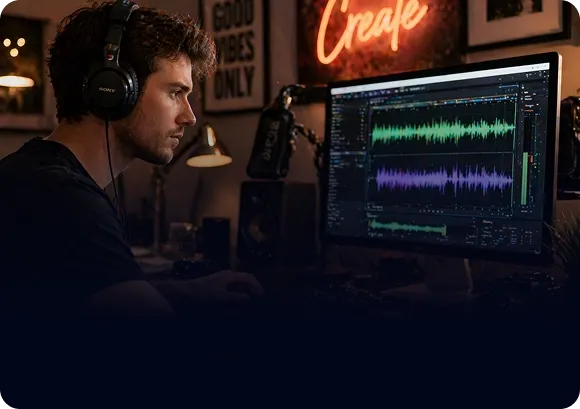
Streamlining Audio Post-Production for Content Creators
Enhance your video content for YouTube and TikTok by isolating background music or removing unwanted vocals from recorded audio. This AI audio isolation tool helps creators extract clean dialogue or background themes, ensuring your social media projects have professional-level sound design.

Sampling and Sound Design for Music Producers
Unlock hidden textures within existing recordings by isolating instrumental sounds. Music producers can use these separated layers for granular sampling, allowing for unique sound manipulation and the creation of entirely new compositions using lossless audio separation.

Turn a finished mix into two practical files: an isolated voice track and a music-only backing track. Upload audio up to 50MB in MP3, WAV, FLAC, M4A, OGG, or WebM format, or paste a direct public audio URL. Preview both results in the browser before downloading the files you need.
Create an acapella from songs, demos, podcasts, or performance recordings when you need the voice without the backing music.
Keep the instrumental layer for karaoke, cover practice, rehearsal tracks, and permitted creative projects.
Upload a file or paste a direct URL, start the task, then preview and download both outputs. Most tracks finish in one to three minutes.
The focused browser workflow includes task progress, recent results, clear processing-time costs, and no desktop software to install.
Start with the result you want. The same separation produces both files, so you can listen to each version and choose one or keep both without running the song twice.
Use the isolated voice track for remix sketches, dialogue study, transcription, language practice, or vocal analysis. Cleaner source audio with a centered lead voice usually gives the most useful result.
Download the instrumental version for karaoke, singing practice, cover rehearsals, or arrangement study. Always check that you have permission to use and share the source recording.
Keep both outputs as a quick two-stem starting point. Import them into your DAW to test edits, transitions, mashups, or production ideas before doing more detailed mixing work.
Three steps from source audio to separated tracks.
Choose an MP3, WAV, FLAC, M4A, OGG, or WebM file up to 50MB, or paste a direct public audio URL.
Review the processing-time estimate, then let WaveSpeed split the source into vocal and instrumental tracks.
Play both results in the browser, compare their clarity, and download the vocal track, backing track, or both.
Focused controls for people who need clean tracks without a complex studio workflow.
Generate two practical outputs in one task: an isolated voice track and a music-only instrumental version.
Upload common audio formats from your device or submit a direct, publicly accessible file link.
Listen to each result before downloading so you can check bleed, artifacts, and overall clarity quickly.
The interface shows the estimated processing-time cost before you start, and most songs complete in one to three minutes.
Clear policies explain how uploaded audio, AI processing, account information, and third-party providers are handled.
Use the interface in English, Chinese, Japanese, German, French, Italian, Spanish, Traditional Chinese, or Korean.
Choose the workflow that matches the result you need. Each guide explains the output, best uses, and common limitations.
Create a clean instrumental backing track for karaoke, cover rehearsals, and arrangement practice.
Separate a mixed song into aligned vocal and instrumental tracks for previewing, editing, and download.
Bring the lead voice forward for transcription, practice, or further audio editing.
Create a vocal-focused acapella track for remixing, sampling, and production drafts.
Common questions before separating your first track.
Upload audio and get vocal plus instrumental stems in one workflow.